
Alternatives to a Full ERP Upgrade for Better Sales Coverage
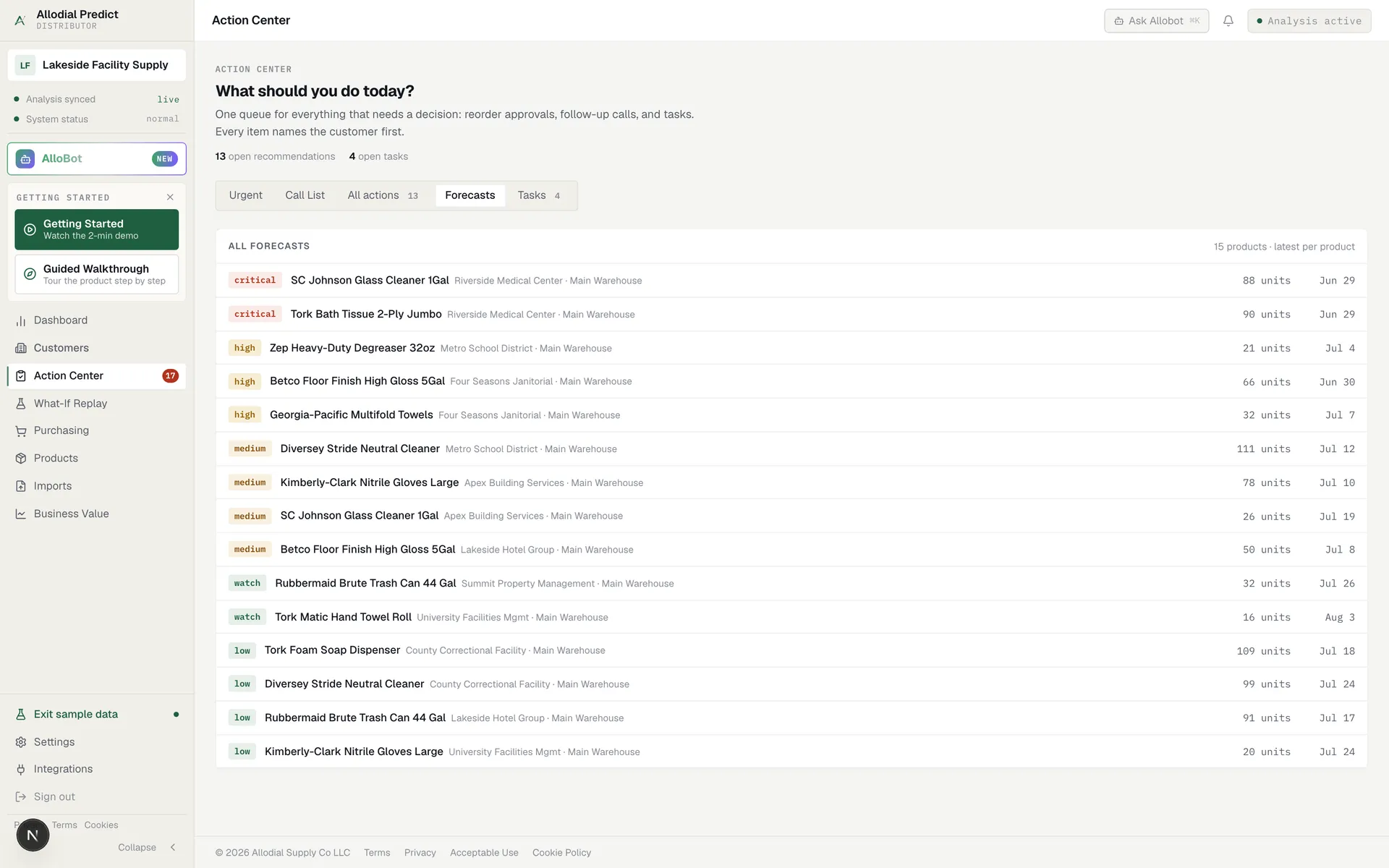
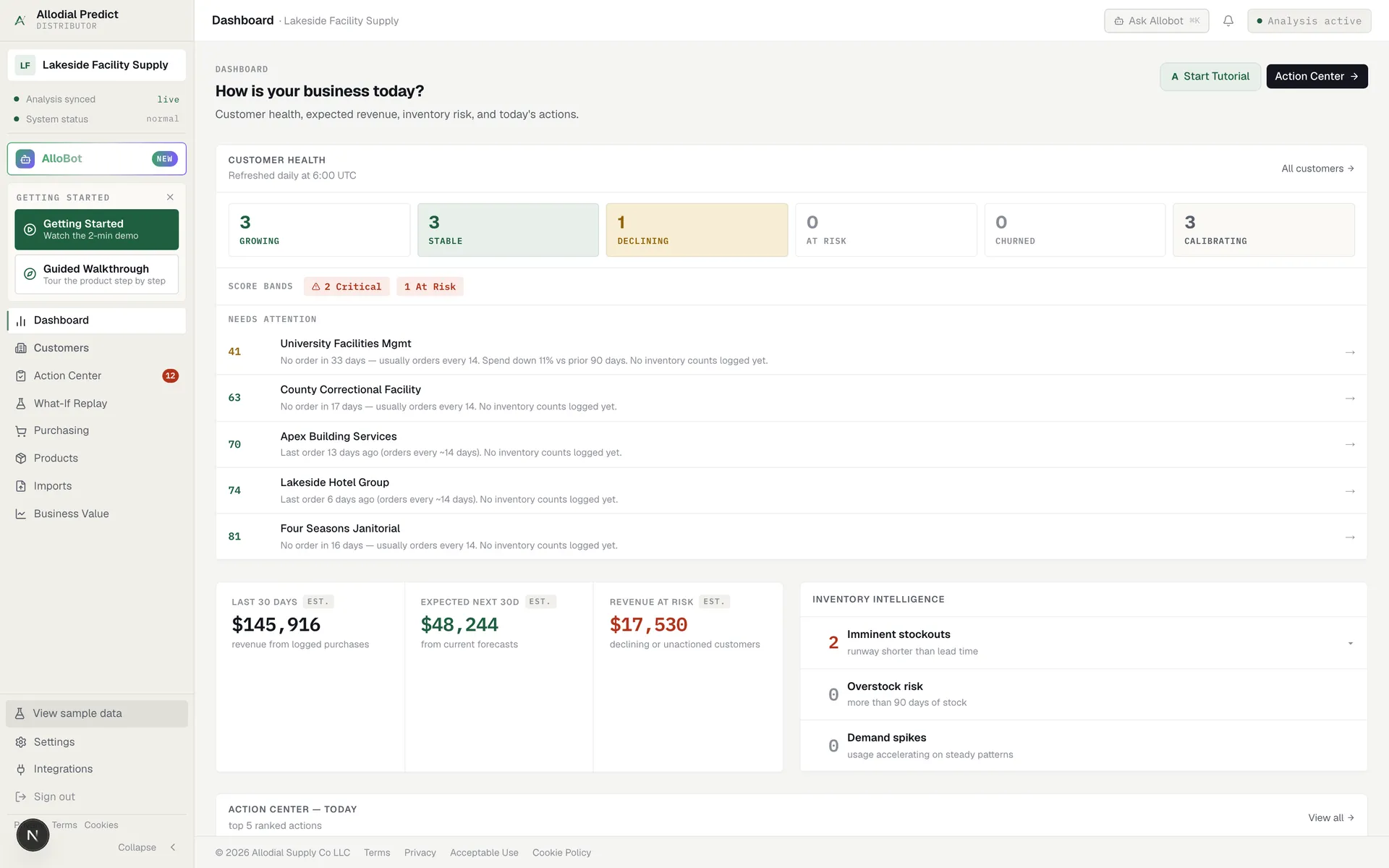
If the goal is better sales coverage, a full ERP upgrade is a heavy way to get there. The alternative is to add a reorder-timing layer on top of the ERP you already run: it reads order history, flags which wholesale accounts are due to reorder, and hands reps a ranked call list without a migration.
Why distributors reach for an ERP upgrade
When reps are not covering accounts and revenue is leaking from quiet customers, an ERP upgrade often gets floated as the fix. The logic is that a bigger, newer system will finally give the sales team what it needs. Sometimes that is true. Often the coverage problem has little to do with the ERP itself, and a twelve-month migration is a very expensive way to find that out.
The alternative is to separate the two questions. Is the ERP genuinely at end of life, or is the real issue that nobody is telling reps which accounts are due to reorder each morning? Those call for very different investments, and treating the second like the first is how a coverage complaint turns into a year-long project.
A reorder layer vs a full ERP upgrade at a glance
An ERP and a reorder-timing tool are built for different jobs. This comparison is about fit for the sales-coverage problem specifically, not overall scope.
| Capability | Allodial Predict | Full ERP upgrade |
|---|---|---|
| Ranked daily call list from order history | ✓ | – |
| Flags accounts drifting past their reorder window | ✓ | ◐ |
| Unifies finance, purchasing, and order records | – | ✓ |
| One system of record for the whole business | – | ✓ |
| Live in days, not a multi-month project | ✓ | – |
| Works from the order history you already have | ✓ | ✓ |
| Priced for a sales problem, not a whole-business project | ✓ | ◐ |
| Requires no data migration or re-training | ✓ | – |
What a full ERP upgrade does well
A modern ERP is a serious piece of software. Upgrading Epicor P21 or Eclipse, or moving to a larger system, can unify finance, purchasing, order management, and reporting under one system of record. If your current setup is fragmented or aging, that consolidation is worth real money, and nothing here argues against a well-timed upgrade for the right reasons.
The value of an upgrade is broad and structural. That is exactly why it is the wrong instrument for a narrow, specific complaint about who reps are calling. A project that touches finance, purchasing, and every workflow in the building carries risk and disruption that a coverage problem simply does not justify on its own.
Where an upgrade misses the sales-coverage problem
The catch is that a bigger ERP does not, by itself, tell a rep who to call this morning. ERPs are built to record what happened: orders placed, invoices sent, stock moved. They are excellent at that. Turning that record into a ranked list of accounts due to reorder is a different job, and it usually is not the reason a coverage problem exists.
Spending twelve months and six figures on a migration to fix a sales-coverage gap is a long way around, and the gap often survives the upgrade intact. The new system records the same quiet accounts the old one did, just as silently.
The lighter path to better coverage
If coverage is the actual problem, the faster path is to add a thin layer that turns the order history you already keep into daily action.
- Reads order history from your existing ERP, with no rip-and-replace
- Flags which accounts are due to reorder and ranks them by what is at stake
- Gives every rep a call list they can work the same morning
- Live in days, at a price scoped to a sales problem
Which one is right for you
If your core records are fragmented or your ERP is genuinely at end of life, an upgrade may be the right call, and a reorder tool sits neatly on top of the new system afterward. But if the business runs fine and the real complaint is that reps are not covering accounts before they go quiet, replacing the ERP is an expensive fix for a narrow problem. A reorder layer targets the coverage gap directly, at a fraction of the cost and time. It is also reversible in a way a migration is not: if it does not earn its place, you have lost days, not a year.
What reps actually work from.
Common questions
Do I have to replace my ERP to get a reorder call list?
No. A reorder-timing tool reads the order history your current ERP already holds and turns it into a ranked daily call list. There is no migration and no re-training on a new system of record. It runs as a layer on top of Epicor P21, Eclipse, or whatever you already use.
See which accounts are due before the phone rings.
Allodial Predict reads your order history and surfaces the accounts that need a call today.